


Mobile banking vs internet banking are two popular digital banking methods that allow customers to access banking services, transfer money and manage their accounts without visiting a bank branch. The main difference is that mobile banking provides banking services through mobile applications, SMS or USSD, whereas internet banking allows customers to access their accounts through a bank’s website using a web browser.
Both channels support convenient digital transactions, but they differ in accessibility, device requirements, user experience and available features. Understanding the difference between mobile banking and internet banking is important for Banking Awareness and Banking and Insurance examinations.

Key Differences Between Mobile Banking and Internet Banking
Mobile banking and internet banking differ mainly in how customers access banking services and complete financial transactions. The following table highlights their major differences.
| Basis | Mobile Banking | Internet Banking |
| Meaning | Banking services through mobile applications, SMS or USSD | Banking services through a bank’s website |
| Access | Mobile banking application or supported mobile services | Web browser |
| Device | Primarily smartphones | Computers, laptops, tablets and smartphones |
| Registration | Usually requires mobile number and app registration | Requires internet banking registration and login credentials |
| Convenience | Suitable for quick, on-the-go transactions | Suitable for detailed banking activities |
| Accessibility | Can offer selected services through SMS or USSD | Requires internet access |
| User interface | Designed for mobile screens | Usually offers a broader website interface |
| Fund transfers | Supports available services such as UPI, IMPS and NEFT | Supports available services such as NEFT, RTGS and IMPS |
| Account management | Balance checks, transaction history and selected service requests | Account statements, beneficiary management and other detailed services |
| Security | App security, device authentication and transaction verification | Website security, login authentication and transaction verification |
Important distinction: According to the RBI’s digital banking framework, internet banking refers to banking through web-based applications, excluding mobile applications. Mobile banking includes banking through mobile applications, USSD and SMS.
For a better understanding of bank classification, functions and ownership structures, candidates can also read our detailed guide on Types of Banks in India.
What is Mobile Banking?
Mobile banking is a digital banking service that allows customers to access their bank accounts and perform financial transactions through mobile phones. Customers can use their bank’s official mobile application or other supported mobile-based services to manage their accounts.
For example, a customer can use the mobile application of SBI, HDFC Bank or ICICI Bank to check their account balance, transfer funds and pay utility bills without visiting a branch.
Key Features of Mobile Banking
- Balance Enquiry: Check account balances and available funds through a mobile application.
- Fund Transfers: Transfer money using supported payment facilities such as UPI, IMPS and NEFT.
- Bill Payments: Pay electricity, water, telephone and other utility bills.
- Mobile Recharge: Recharge prepaid mobile numbers and other supported services.
- Transaction History: View recent transactions and account activity.
- Account Management: Manage selected banking services, debit card controls and beneficiary details.
- Transaction Alerts: Receive notifications about account activity and completed transactions.
For a better understanding of electronic fund transfers, read PracticeMock’s guide on IMPS vs NEFT vs RTGS.
Advantages of Mobile Banking
Mobile banking offers customers quick access to essential banking services through their smartphones. It reduces the need for branch visits and makes routine transactions easier.
The major advantages include:
- Anytime Access: Customers can access supported banking services at any time without depending on branch working hours.
- Quick Transactions: Mobile applications make balance enquiries, fund transfers and bill payments convenient.
- Easy Accessibility: Customers can manage their bank accounts while travelling or staying away from home.
- Instant Notifications: Transaction alerts help customers monitor account activity.
- User-Friendly Interface: Mobile applications provide simple navigation and quick access to frequently used services.
- Multiple Services: Customers can access payments, recharge facilities, account statements and selected investment services through banking apps.
Disadvantages of Mobile Banking
Although mobile banking provides convenience, it also has certain limitations related to technology, connectivity and security.
- Internet Dependency: Most mobile banking applications require a stable internet connection.
- Device Dependency: Customers generally need a compatible smartphone to use app-based services.
- Cybersecurity Risks: Malware, phishing applications and fraudulent links can expose users to financial fraud.
- Technical Issues: Application crashes, server problems and software updates may interrupt banking activities.
- Limited Screen Space: Some detailed banking activities may be less convenient on a small mobile screen.
- Device Loss: A lost or stolen phone may create security risks if the customer does not protect the device and banking application properly.
For more information about digital financial services, explore Digital Banking and its Difference from Traditional Banking.
What is Internet Banking?
Internet banking is a digital banking facility that allows customers to access their bank accounts and perform financial transactions through the bank’s official website using an internet-connected device. It is also commonly known as online banking or net banking.
Customers can log in using their registered credentials and access different banking services without visiting a physical branch.
For example, customers can use SBI Internet Banking or HDFC Bank NetBanking to transfer funds, download account statements, manage beneficiaries and request banking services.
Key Features of Internet Banking
- Account Information: Check account balances, transaction details and account statements.
- Fund Transfers: Transfer money through NEFT, RTGS and IMPS, subject to the bank’s available facilities.
- Bill Payments: Pay utility bills, insurance premiums and other payments online.
- Deposit Management: Open and manage fixed deposits and recurring deposits where supported.
- Beneficiary Management: Add, modify or delete beneficiaries for fund transfers.
- Service Requests: Request cheque books, stop cheque payments and access other banking facilities.
- Loan Services: Access loan-related information, repayment details and available online loan services.
Advantages of Internet Banking
Internet banking provides a convenient way to manage different banking activities through a website. Its larger interface and account management facilities can be useful for customers handling multiple financial transactions.
The major advantages include:
- 24×7 Banking: Customers can access available banking services beyond regular branch hours.
- Detailed Account Management: Users can view statements, transaction records and account information in detail.
- Multiple Banking Services: Customers can access fund transfers, deposit facilities, bill payments and service requests.
- Convenient Fund Transfers: Internet banking supports electronic fund transfers through available payment systems.
- Reduced Paperwork: Many banking activities can be completed online without submitting physical forms.
- Easy Financial Tracking: Customers can download statements and review their banking activities for financial planning.
Disadvantages of Internet Banking
Internet banking simplifies account management, but customers may face certain challenges while accessing services through websites.
- Internet Requirement: Customers need a reliable internet connection to access online banking.
- Phishing Attacks: Fraudsters may create fake banking websites to steal login credentials.
- Public Device Risks: Using internet banking on shared computers can expose sensitive information.
- Technical Problems: Website maintenance, server downtime and browser compatibility issues may interrupt transactions.
- Learning Difficulty: Customers who are unfamiliar with computers or online banking may find website navigation difficult.
- Credential Management: Users must protect their usernames, passwords and authentication details from unauthorised access.
Similarities Between Mobile Banking and Internet Banking
Mobile banking and internet banking are both digital banking channels that help customers access financial services without visiting bank branches. Although their access methods differ, they share several important features.
The major similarities include:
- Digital Access: Both allow customers to access banking services electronically.
- Fund Transfers: Both support available electronic fund transfer facilities.
- Account Monitoring: Customers can check balances and review transaction histories.
- Bill Payments: Both channels allow customers to make supported online payments.
- Convenience: Both reduce the need for physical branch visits.
- Security Measures: Banks use authentication and other security controls to protect customers’ accounts.
- Round-the-Clock Services: Many banking facilities are available 24 hours a day, depending on the bank’s systems and service availability.
For additional Banking Awareness revision, candidates can refer to Types of Payments in India, including NEFT, RTGS, IMPS, UPI and USSD.
Security Measures for Mobile Banking and Internet Banking
The security of mobile banking and internet banking depends on the bank’s security systems, authentication methods and customer practices. Neither channel is automatically safer than the other.
The RBI’s Digital Payment Security Controls Directions, 2026, updated on October 1, 2026, prescribe security requirements for internet banking and mobile payment applications. These include authentication, fraud detection, application security and customer protection.
Important safety measures for customers:
- Use only the official mobile banking application or bank website.
- Never share your password, OTP, PIN or other confidential banking details.
- Avoid accessing banking accounts through public Wi-Fi or shared devices.
- Keep mobile banking applications and device software updated.
- Check the website address and ensure it uses HTTPS before logging in.
- Enable SMS and email transaction alerts wherever available.
- Log out after completing internet banking transactions.
- Report unauthorised transactions to your bank immediately.
The RBI also advises customers not to share confidential credentials and to avoid untrusted websites and public devices.
Conclusion
Mobile banking vs internet banking mainly differs in the way customers access banking services. Mobile banking is suitable for quick transactions through smartphones, while internet banking provides a convenient website-based platform for detailed account management and financial activities. Both channels make banking more accessible, save time and reduce branch visits.
For Banking Awareness preparation, candidates should understand their definitions, features, advantages, disadvantages and security differences. Visit PracticeMock to strengthen your Banking Awareness preparation with topic-wise study resources and practice tests.
Related Blogs
| Daily Current Affairs for Banking & Govt Exams | Important Banking Terms PDF |
| Banking Awareness Quiz | Best Online Coaching for Banking Exams in India |
| Banking Awareness Notes | |
Related IBPS PO Articles
Related RRB PO Articles
| IBPS RRB PO Salary | IBPS RRB PO Exam Pattern |
| IBPS RRB PO Cut Off | IBPS RRB PO Syllabus |
| IBPS RRB PO Previous Year Question Papers | |
Related Articles on RBI Grade B
| RBI Grade B 2026 Without Coaching | RBI Grade B Study Plan 2026 For 60 Days |
| RBI Grade B Syllabus | RBI Grade B Previous Year Question Papers |
| RBI Grade B Important MCQs | |
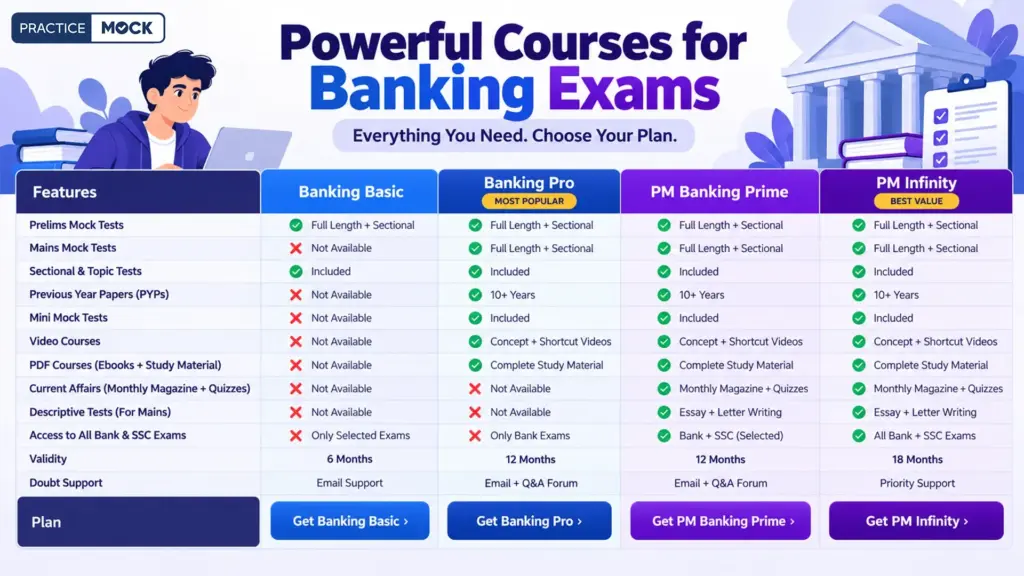
Powerful Courses for Banking Exams
Mobile Banking vs Internet Banking FAQs
1. What is the difference between mobile banking and internet banking?
Mobile banking allows customers to access banking services through mobile applications, SMS or USSD. Internet banking provides banking services through a bank’s official website using a web browser. Both support account management and electronic fund transfers.
2. Can mobile banking and internet banking offer similar services?
Yes, both channels offer several similar services, including balance enquiries, fund transfers, bill payments and account statements. However, the availability of specific facilities depends on the bank and its digital banking platform.
3. Is mobile banking safer than internet banking?
Neither is universally safer. Both use security measures such as authentication and encryption. Customers should use official banking platforms, protect their credentials, update their devices and avoid suspicious links.
4. Is internet banking also called net banking?
Yes, internet banking is commonly known as net banking or online banking. It allows customers to access their bank accounts and perform financial transactions through the bank’s official website.
5. Does mobile banking require an internet connection?
Most mobile banking applications require an internet connection. However, some mobile banking services also operate through SMS and USSD, which can provide selected banking facilities without mobile internet.
6. Can customers use mobile banking and internet banking simultaneously?
Yes, customers can use both services if their bank provides them and the customer completes the required registration. Both channels can be used to manage the same bank account.
7. Which is more convenient, mobile banking or internet banking?
Mobile banking is generally more convenient for quick transactions and account checks while travelling. Internet banking can be more suitable for detailed account management, downloading statements and handling multiple banking activities.
8. What are the main disadvantages of mobile banking?
The main disadvantages include dependence on compatible devices, internet connectivity for app-based services, cybersecurity risks, technical issues and limited screen space for certain banking activities.
9. What are the main disadvantages of internet banking?
Internet banking requires an internet connection and secure access to the bank’s website. Customers may also face phishing attacks, technical problems, website downtime and risks associated with using public computers.
10. What are the similarities between mobile banking and internet banking?
Both are digital banking channels that allow customers to access accounts, transfer funds, pay bills and monitor transactions. They reduce branch visits and provide convenient access to banking services through electronic devices.
- Sign Up on Practicemock for Updated Current Affairs, Topic Tests and Mini Mocks
- Sign Up Here to Download Free Study Material
Free Mock Tests for the Upcoming Exams
- IBPS PO Free Mock Test
- RBI Grade B Free Mock Test
- IBPS SO Free Mock Test
- NABARD Grade A Free Mock Test
- SSC CGL Free Mock Test
- IBPS Clerk Free Mock Test
- IBPS RRB PO Free Mock Test
- IBPS RRB Clerk Free Mock Test
- RRB NTPC Free Mock Test
- SSC MTS Free Mock Test
- SSC Stenographer Free Mock Test
- GATE Mechanical Free Mock Test
- GATE Civil Free Mock Test
- RRB ALP Free Mock Test
- SSC CPO Free Mock Test
- AFCAT Free Mock Test
- SEBI Grade A Free Mock Test
- IFSCA Grade A Free Mock Test
- RRB JE Free Mock Test
- Free Banking Live Test
- Free SSC Live Test